

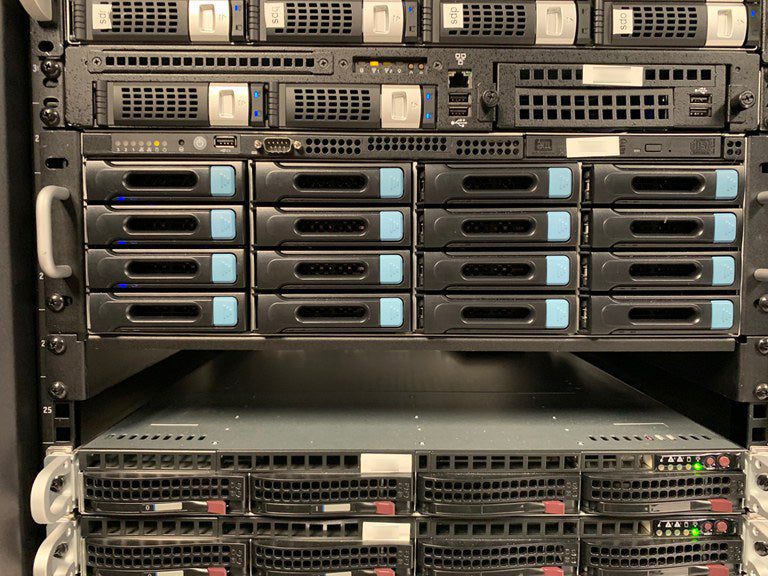
Private Infrastructure
Own your own open-source file servers.
Keep your files, data, and email private on hardware you own and control. Servers can be onsite or in a private cloud.
Push back against letting others control and analyze your data.


Managed File Transfer Service
Automated FinTech Daily File Transfers
Send and Receive trade, position, and account data with all counter-parties and interested staff.
We've already established protocols with most of the largest FinOps vendors and can get started quickly.


Open-Source Software
Most of True Blade's core IT work is done on open-source servers, running either Linux or FreeNAS.
Open-Source software brings accountability and like minded collaborators. You pay for support, but there are no software licensing charges or arbitrary license restrictions.


FinTech
Working with Investment Advisors, Broker-Dealers, counter-parties, and regulators, True Blade has been involved in daily operations and data processing of financial data for more than 15 years.


Improving Work from Home
Technology and Process
Lessons learned from helping clients to close legacy offices and to learn how to run their businesses 100% from their homes.
Professional Integrity
True Blade's principals are accustomed to working at the highest professional standards. Privacy and security are integral.
Blog posts
-
![]()

Implementing The Raft Consensus Algorithm
-
Building a wooden GROAT outfeed roller stand
-
![]()

Why True Blade uses the ZFS filesystem
-
![]()
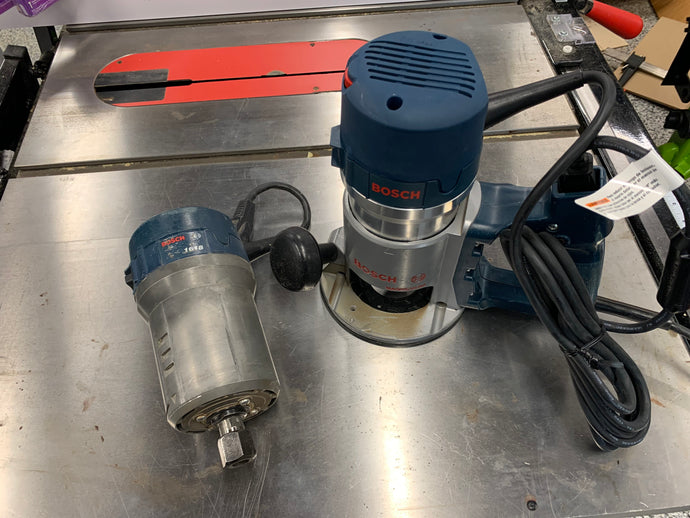
Rebuilding a Bosch 1618 D-Handled Router
-
![]()

Wi-Fi or Wired? - The Wall Street Journal Concurs with True Blade: Use Wired Ethernet Connections Whenever Possible
-
Using an Intel NUC in a Video Management System
The compact size of Intel's small form factor PC, the NUC, is packed with robust engineering, making it well suited for a variety of tasks.
Read how we're using the NUC as a client hardware platform for our Open Source Video Management System.









Engage True Blade for Your Business
Our Shopify website platform gives you innovative ways to engage True Blade for your business. Have a look at our Technical Services and Curated Products below or contact us for other needs.